 Navigating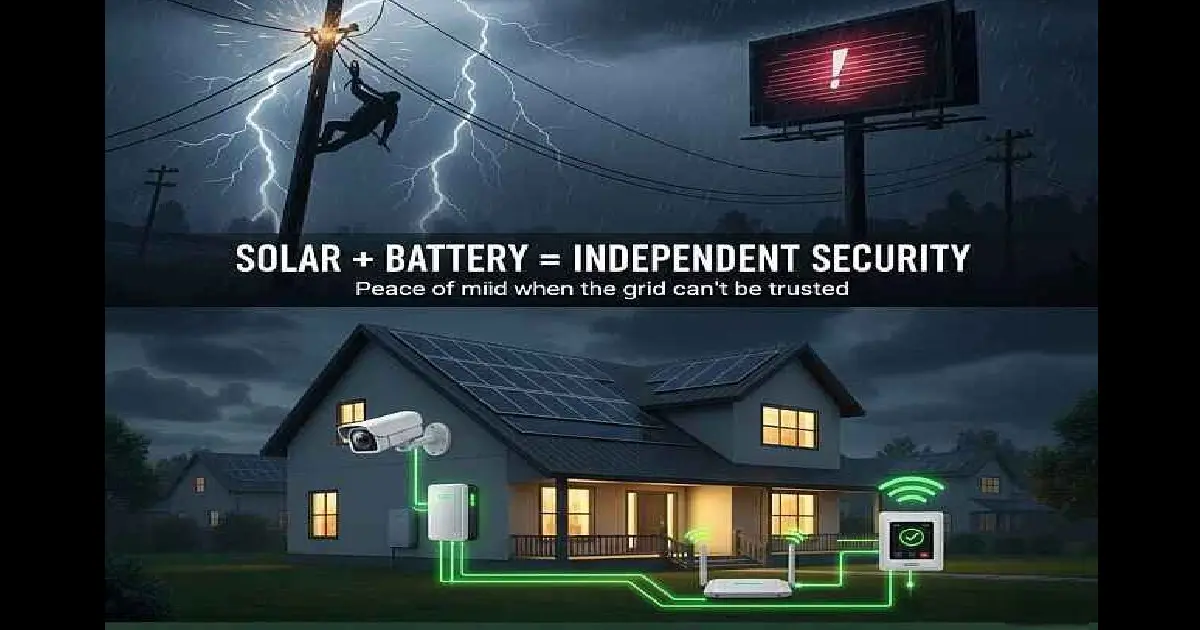
Summary
Running a security system on solar is more than possible — it’s one of the smartest, most reliable, and most cost-effective ways to keep your home safe.
How to keep your home protected when the grid can’t
Solar and Home Security : Understand Your Critical Systems’ Usage
Running security systems on solar power– uninterrupted, 24/7 – is one of the biggest motivators for new solar users — especially if you live in an area where outages, rolling blackouts, storms, or aging grid infrastructure make you nervous about losing power at the wrong moment.
For many homeowners, backup power is not only about comfort anymore — it’s about continuity.
During outages or unstable grid periods, small systems like internet routers, alarm systems, security cameras, gates, and communication devices often become more important than running the entire house.
That changes how people think about solar.
Instead of asking:
“How much solar do I need for everything?”
The better question often becomes:
“What are the critical systems I actually need to keep running?”
Let’s unpack what homeowners really want to know :
- Can solar run my security system 24/7?
- What happens at night or during cloudy days?
- Do security cameras and alarms drain batteries?
- What if my internet router goes off — does the system still work?
- How do I size my battery for security loads?
Let’s break it down in clean, digestible sections.
Not Everything Needs Backup Power
One of the biggest misconceptions about solar and battery systems is the idea that you need to power your entire home during an outage.
In reality, most homeowners only need a small number of critical systems to remain operational during grid interruptions.
This is where prioritization becomes important.
Instead of trying to run everything at once, many solar setups are designed around essential loads such as:
- security systems
- internet routers
- security cameras
- gate motors
- lighting
- communication devices
- refrigerators or small appliances
These systems typically use far less electricity than high-demand appliances like ovens, air conditioners, geysers, or pool pumps.
By focusing on the devices that matter most, homeowners can often create a more affordable and practical backup solution without needing an oversized battery system.
This is known as selective backup planning.
The goal is not always total energy independence — sometimes it is simply maintaining safety, communication, visibility, and basic functionality during unstable grid periods.
Understanding your essential loads also helps when sizing batteries and estimating runtime expectations later in the solar planning process.
Solar Home-Security FAQ
🔐 1. Can solar run my security system 24/7?
Yes — Solar Can Power Your Entire Security System
But only if the system is designed with three elements in mind:
A) The solar panels collect the energy. Panels create your “daily budget.” Security equipment uses very small amounts of power, so even a modest solar setup easily covers it.
B) The battery stores the energy. This is the real hero. Security systems must stay on even when the sun is down — so the battery becomes your guaranteed backup.
C) The inverter keeps everything stable. Your system needs clean, reliable power flow 24/7. A good inverter ensures no dips, drops, or voltage fluctuations that might reboot cameras or disconnect alarms.
Small Energy Loads Can Make a Big Difference
Many people assume backup power requires a massive solar installation or an expensive battery bank.
But in practice, some of the most important household systems use surprisingly small amounts of electricity.
Devices such as:
-
-
-
-
-
-
-
-
-
-
-
-
-
- Wi-Fi routers
- alarm systems
- security cameras
- motion sensors
- smart locks
- gate motors
-
basic LED lighting
-
-
-
-
-
-
-
-
-
-
-
-
often consume relatively low power compared to major household appliances.
That means keeping critical systems operational during outages may be more achievable than many homeowners initially expect.
In some cases, a modest battery setup can continue powering communication and security systems for several hours — especially when energy usage is planned carefully.
This is one of the reasons load planning matters so much in solar design.
The goal is not always to run an entire home uninterrupted.
Sometimes the priority is simply maintaining visibility, connectivity, communication, and security during unstable grid conditions.
Understanding the difference between high-demand appliances and low-power critical systems helps create more realistic expectations around solar backup planning and battery sizing.
🔌 2. Do cameras and alarms drain batteries?
How Much Power Security Equipment Really Uses
Here’s the part nobody explains properly: Security systems sip power. They don’t gulp it.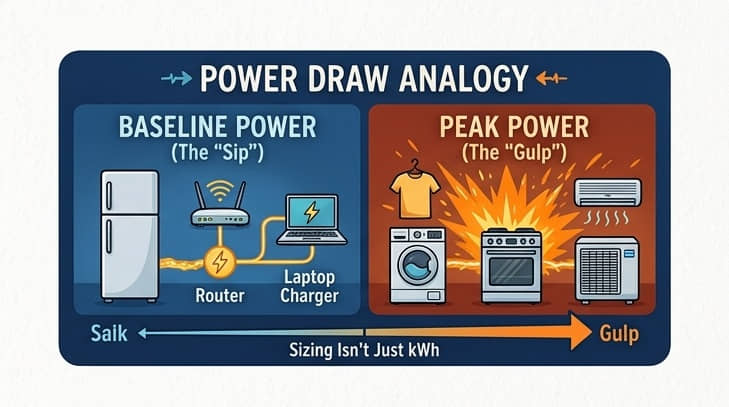
Typical watt usage:
- Wi-Fi security cameras: 2–6W each
- Wired DVR/NVR camera system: 15–40W total
- Motion sensors: under 1W
- Alarm panel: 5–10W
- Electric fence energizer: 10–20W
- Wi-Fi router: 6–12W (this one matters)
- Smart doorbell: 1–3W
- Floodlight camera: 10–20W (only while streaming/recording)
Most homes can run a full security suite on under 100 watts continuously.
To put that into perspective: A small 1 kWh battery can run:
👉 A full security system for 8–10 hours A 5 kWh battery can run:
👉 Your entire system for 2–3 full days
Meaning: Even on rainy days or after sunset, you remain protected.
🌙 3. What happens at night or during cloudy days?
Nighttime Security: Where Battery Capacity Matters Most
Solar panels don’t work at night — but your security system must. So your nighttime energy comes entirely from your battery.
What you need:
- A battery that comfortably covers your overnight base load
- Enough solar panel generation to fully recharge that battery every day
- A system design that isolates or prioritizes critical loads, especially during a grid outage
If your battery is too small, you may wake up to:
- security cameras offline
- router off
- alarms triggered incorrectly
- floodlight cameras dead
- NVR/DVR not recording
This is why security systems are often placed on a dedicated essential loads circuit.
📶 4. What if my internet router goes off — does the system still work?
Internet Problems and Solar Power — And the Fix
A camera without Wi-Fi is like a fridge without electricity — it exists, but it’s not doing its job.
For a solar-backed security system, your Wi-Fi router MUST also be on backup power.
Many homeowners forget this.
Recommended setup:
- Put your router + ONT/fibre box on your solar-powered essential loads
- If you don’t have that, a $50–$100 mini UPS can keep the internet running for 4–8 hours
- For full solar households, your router will run seamlessly through grid outages
If your system uses local storage (NVR/DVR), you’re even safer — recording continues even if Wi-Fi is down.
Backup Power Is About Runtime — Not Just Power
When planning battery storage, many people focus only on how much power a device uses.
But an equally important question is:
“How long do I want these systems to remain operational during a grid outage?”
This is where runtime planning becomes important.
For example, a router or security system may use relatively little electricity — but if you want it running continuously for several hours during load shedding, storms, or overnight grid outages, battery capacity starts to matter.
The same applies to:
- security cameras
- alarm systems
- internet equipment
- communication devices
- gate motors
- emergency lighting
A well-designed backup system is not only about handling peak demand.
It is also about understanding how long your essential systems need to remain active when the grid becomes unavailable.
This is one of the key reasons battery sizing should be approached strategically rather than emotionally.
Understanding your critical loads and expected runtime requirements creates a much clearer foundation for:
- selecting battery capacity
- estimating backup duration
- managing energy priorities
- and avoiding unnecessary overspending
If you want to explore this further, the Battery Capacity Calculator can help estimate the scope and size of battery storage you may need based on your usage patterns and backup goals.
Powering your Security Security System 24/7
Your security system is only useful if it stays connected.
That means your WiFi, your cameras, your alarm system — they all depend on continuous power.
The same goes for your fridge and freezer.
This is where something like Bluetti’s FridgePower becomes interesting.
➡️ Click the image to learn more
FridgePower is essentially a home-scale UPS (Uninterruptible Power Supply) system for your most important essentials, not just a portable battery.
It’s not trying to power your entire house. It’s doing something more specific — it quietly keeps the most important systems in your home running when everything else drops out.
FridgePower acts as a baseline continuity layer for exactly that. It keeps your home’s security and food systems alive in the background, without you having to think about it or manually switch anything over.
It stays plugged into your home system permanently. In normal conditions it charges silently while your home runs off the grid. The moment power fails, it instantly switches to battery mode and keeps essential systems like your fridge, WiFi, and security equipment running without interruption. When grid power returns, it automatically switches back, recharges itself, and returns to standby — ready for the next outage without any input from the homeowner.
For most homes, that already covers a surprisingly large part of what actually matters during an outage.
And because it’s modular, adding a second unit doesn’t replace this role — it expands it.
One unit can stay dedicated to security and essential systems, while additional capacity can support broader household loads when needed.
📡 5. Can I run security on an Off-Grid Solar Power System?
Yes, It’s Possible to Run Home-Security Off-Grid
For rural homes, farms, or remote buildings: Solar security kits can run:
- gate motors
- electric fencing
- perimeter beams
- standalone cameras
- water pump monitors
- barn/stable surveillance
Just remember: off-grid requires oversizing both panels and batteries to survive cloudy weeks.
Turning Security Thinking Into Real-World Backup Systems
Once you understand how dependent modern security systems are on constant power, the next question becomes practical:
How do you actually keep those systems running when the grid can’t be trusted?
This is where solar + battery ecosystems come in — not as abstract “energy solutions,” but as real-world continuity systems for the home.
Instead of guessing what size setup you need or how different systems compare, it helps to look at how manufacturers structure their ecosystems in practice.
Looking at complete systems types, individual components and different brand compatibility make it much easier to understand the recommendations you’ll receive later.
Understand how each system links to your home and utility, before settling on product choice.
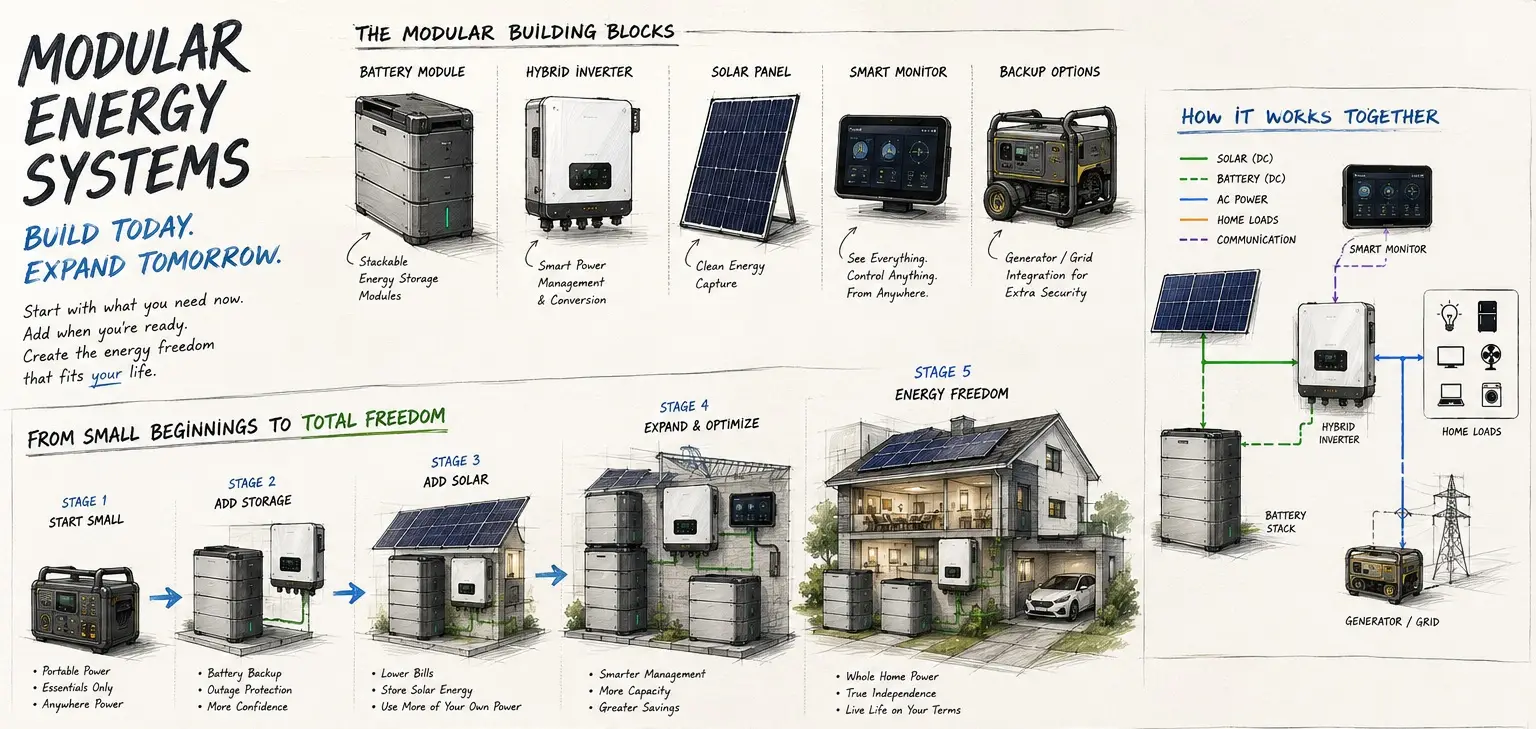
Explore what these systems look like, how they work and what the modules are for each.
Follow the quick-link for excellent diagrams, product layouts and system illustrations, making it one of the easiest places to visualize how different solar systems are assembled before making decisions.
Steps to the visual aid:
Follow the link below – Then click to : Choose a system (hybrid, grid-tied or off-grid) – Choose a size (essentials:3-5kW to whole-home: 10kw+) – Hover over the product image and see how it transforms into a home energy system.
➡️ See how it works – compare different systems
Industry Leaders in Portable Power Stations and Battery Backup Solutions
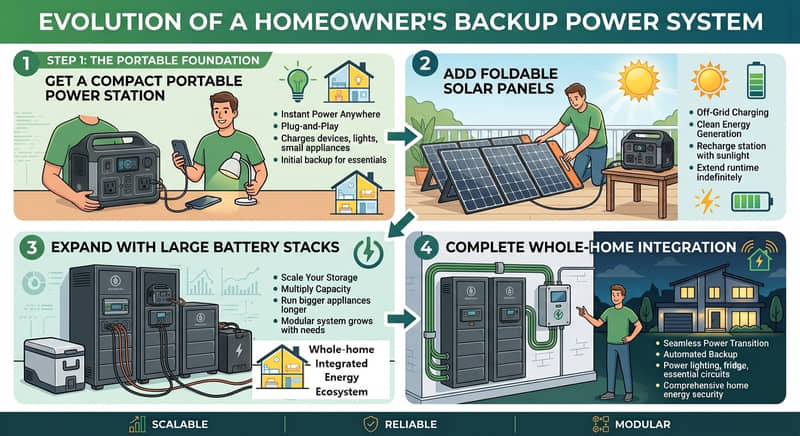
When researching portable power stations and modular battery backup systems, EcoFlow and Bluetti are two of the most useful manufacturers to compare side by side.
Both provide detailed comparison tools that break down battery capacities, inverter output, charging speeds, supported appliances, expansion options, and pricing, making it much easier to understand what different systems are actually capable of before buying.
A few things stand out:
➡️ EcoFlow has built its ecosystem around fast charging, modular expansion, and whole-home energy ecosystem and management solutions. Its product range spans everything from compact portable power stations to professionally installed home battery systems that can grow with your energy needs over time.
➡️ Bluetti has earned a strong reputation for long-lasting battery technology and dependable backup power. Its lineup focuses on portable power stations, expandable battery systems, and off-grid solutions, offering options for both homeowners who prefer turnkey installations and DIY users building their own energy systems.
Both companies have developed extensive product ecosystems, generous warranty coverage, and comprehensive support resources. Whether you’re planning for emergency backup, reducing grid dependence, or building a complete solar energy system, they provide excellent benchmarks for comparing today’s modular battery technologies.
- EcoFlow tends to emphasize very fast AC charging (“charge from the wall in around an hour” is one of their biggest selling points across much of the Delta range).
- Bluetti tends to emphasize battery longevity, often quoting thousands of charge cycles thanks to LiFePO₄ batteries.
- Both have moved beyond “camping batteries” into complete energy ecosystems with smart panels, expansion batteries, generators, and home integration.
- Both support modular expansion, which is becoming one of the biggest trends in residential backup power—you don’t have to buy everything on day one.
- Both have companion apps for monitoring and controlling compatible systems remotely (nice little modern touch).
🔋 6. How to Size Your Solar for Security
Simple Formula for solar system sizing for security:
-
Add up the wattage of your cameras, router, alarm panel, etc.
-
Multiply by 24 hours for daily usage (security = always-on).
-
Make sure your battery holds 1.5× to 2× your daily needs.
-
Ensure your solar panels generate 30–40% more than that to recharge the battery even on bad-weather days.
Example:
- Your security load = 80 watts
- Daily use: 80W x 24 = 1.9 kWh/day
- Battery needed: 3–4 kWh minimum
- Panels needed: 1.5–2 kW array (depending on climate)
Download your free copy of our Solar Battery Comparison Guide
Battery Types 101 - A Beginners Guide
Learn about Solar Battery types, Energy Storage and Why batteries add long-term value.
Conclusion
🛡️ 7. Why Solar Actually Improves Home Security
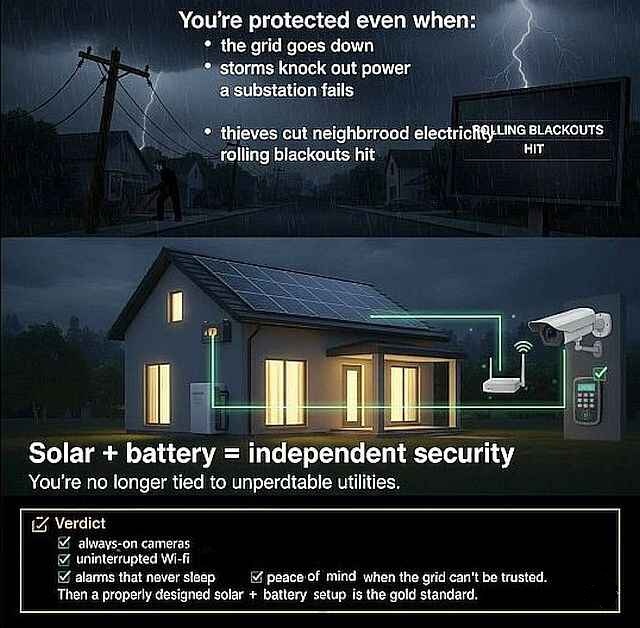
You’re protected even when:
⚡when there’s grid outages
⚡storms knock out power
⚡ A substation fails
⚡thieves cut neighborhood electricity
⚡rolling blackouts hit
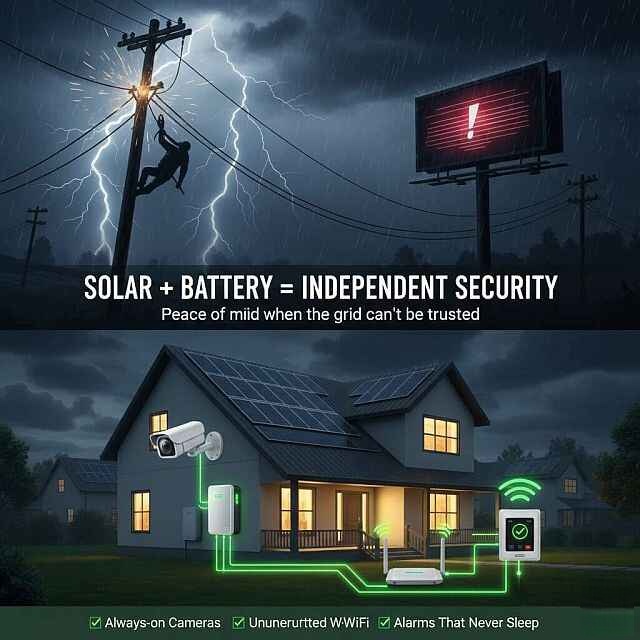
Solar + battery = independent security. You’re no longer tied to unpredictable utilities.
Running a security system on solar is more than possible — it’s one of the smartest, most reliable, and most cost-effective ways to keep your home safe.
If your goal is:
-
- always-on cameras
- uninterrupted Wi-Fi
- alarms that never sleep
- peace of mind when the grid can’t be trusted
Then a properly designed solar + battery security setup is the gold standard.
Battery Capacity Calculator
Once you understand which devices you actually want protected during outages, it becomes much easier to estimate the battery storage capacity you may realistically need.
Go To: ➡️ NavigatingSolar.com ➡️ Maximization for more on Solar Batteries & Storage and to use the Battery Capacity Calculator
Battery Expansion and Upgrades For Traditional Solar Systems
If you already have a grid-tied solar system, improving your home’s resilience doesn’t always mean starting from scratch. Many existing systems can be upgraded with battery storage or expanded to provide backup power for essential circuits like security systems, internet, lighting, and refrigeration.
Every home is different, so the right solution depends on your current solar setup, energy usage, and the level of backup you want during an outage. If you’re considering adding battery storage or expanding your existing system, comparing a few professional options can help you understand what’s possible and what it may cost before making any decisions.
👇 Get free, no-obligation quotes from qualified solar installers and explore upgrade options that match your home’s needs.
See how it works before committing, by clicking below
Solar Battery Quote
Request Tool
Connect with Local US Installers trusted by homeowners nationwide — step-by-step, practical, and pressure-free.
Affiliate Disclaimer:
This link may connect you with solar providers through our partner network.
The commission we may earn, if you choose to engage — at no extra cost to you — powers these free resources.
RELATED ARTICLES
➜ Inverters : The Brain of Your System
➜ Solar Batteries and Storage
➜ Solar Battery Storage: Value vs Expense
➜ Types of solar-powered systems
➜ 3 Alternative Solar Installation Solutions
Trusted Sources
Solar and Electrical Calculators
Preparedness & Power Outages:
Bluetti Disaster Prep and Battery Backup Guide
Solar/battery policies & priorities:
U.S. Department of Energy Solar Basics
Educational transparency.
NavigatingSolar is an Independent Educational Resource. We are not solar manufacturers or installers – we research them.
Why these suggestions?
Navigating Solar doesn’t recommend companies simply because they offer affiliate programs. We believe readers should always understand why something is being recommended. We begin with the homeowner’s decision—not the product. We identify where people struggle to make informed choices, then evaluate products, services and partners that genuinely solve those problems.
Not every recommendation earns us a commission. Partnerships are selected to fit the educational framework—not forcing the educational framework to fit whatever affiliate programs happened to exist. If a company doesn’t fit the decision framework and ethos, we don’t include it—whether it has an affiliate program or not. If we believe a better solution exists, we’ll recommend it regardless of whether it generates a commission.
➡️ Our goal is to help you make the right decision—not the fastest purchase.